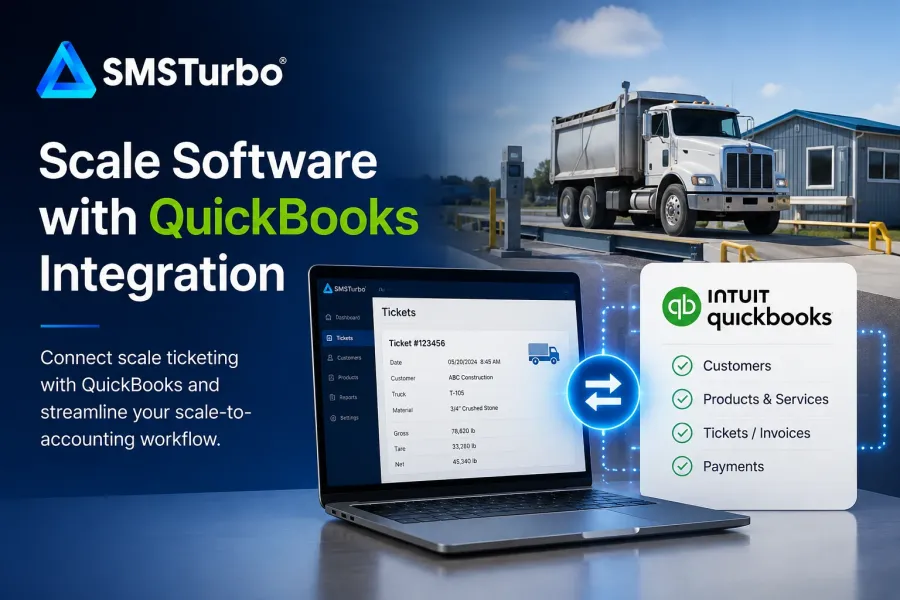
TL;DR: If your operation uses QuickBooks, the right scale software should connect the scale house and accounting workflow instead of forcing employees to move the same information between disconnected systems. SMSTurbo Fulcrum provides a direct integration with QuickBooks Online and supports QuickBooks Desktop through a file-export workflow, while connecting scale ticketing with the broader operational data generated by each transaction.
The value of scale software with QuickBooks integration is not simply that two applications can exchange information. The important question is what happens to a transaction after a truck leaves the scale.
A scale ticket can contain information needed for billing, reporting, customer records, products, and other administrative processes. If accounting employees have to re-enter that information, verify it against paper tickets, or reconcile separate systems, the transaction may be finished operationally but still require substantial back-office work.
For businesses using QuickBooks, the goal should be a connected workflow in which scale ticketing software captures operational information at the scale and the appropriate QuickBooks connection or export process moves that data into the financial workflow.
What Is Scale Software with QuickBooks Integration?
Scale software with QuickBooks integration connects truck scale transactions with QuickBooks so operational and accounting data do not have to remain isolated in separate systems.
SMSTurbo Fulcrum is cloud-based truck scale software that supports both QuickBooks Online and QuickBooks Desktop, but the connection method differs between the two products. QuickBooks Online uses a direct integration with Fulcrum, while QuickBooks Desktop uses a file-export workflow for moving the appropriate scale transaction information into the Desktop accounting environment.
This connection matters because weighing the truck is only one part of a transaction. Once gross, tare, and net weights are established and a ticket is created, that information may need to support invoicing, accounting, reporting, and customer records.
The best way to evaluate an integration is therefore not to ask, “Does it connect to QuickBooks?” Instead, follow one transaction from the scale through accounting and identify every point where an employee still has to enter, verify, correct, or reconcile information manually.
How Does QuickBooks Integration Change the Scale-to-Accounting Workflow?
A QuickBooks-connected workflow can move information created during scale ticketing into the accounting processes that follow the transaction. The method depends on the QuickBooks environment: QuickBooks Online uses a direct integration, while QuickBooks Desktop uses a file-export workflow. This reduces the need to treat the scale house and accounting department as separate data environments.
Consider the basic operational sequence:
- A truck arrives at the scale.
- The scale system captures the weight and transaction information.
- A scale ticket is generated.
- The transaction is associated with the appropriate customer and product information.
- Relevant information moves into the accounting workflow.
- The accounting team uses that information for the appropriate financial process.
Without a direct connection or structured export process, one or more of those steps may require information to be transferred manually between systems.
That distinction is especially important in high-volume operations. A manual step that seems minor during a single transaction becomes a larger administrative process when it must be repeated across many loads, customers, products, and locations.
Why Duplicate Entry Is More Than an Accounting Problem
Duplicate entry creates another point where information has to be handled, checked, and potentially corrected. The operational impact can extend beyond the accounting department.
For example, if a scale operator creates a ticket and someone later enters the transaction into another system, the business now has two points at which customer, product, quantity, or transaction information may need to be maintained.
That can create questions such as:
- Which system contains the authoritative customer information?
- Where should product information be maintained?
- What happens when a ticket is corrected?
- How is a transaction matched to the correct accounting record?
- Who investigates discrepancies?
- How are transactions handled across multiple locations?
A useful accounting integration should make those responsibilities clearer, not simply add another connection between applications.
The bottleneck is not always at the scale itself. In many workflows, the administrative burden begins after the ticket has been created and its information needs to move into accounting, billing, or reporting.
What Should Scale Software Send to QuickBooks?
The exact data flow depends on the software, QuickBooks environment, and configuration. Buyers should verify the supported workflow rather than assuming that every QuickBooks integration handles the same records in the same way.
SMSTurbo specifically documents the movement of tickets, customers, and products as part of its QuickBooks-connected scale ticketing workflow. Before implementation, buyers should establish exactly which information their operation needs to synchronize or export and how each record will be managed.
Questions worth asking include:
- Which ticket information is transferred?
- How are customers matched between the systems?
- How are products or materials mapped?
- Which system owns each type of master data?
- When does information synchronize or become available for export?
- What happens if a transaction contains incomplete or incorrect information?
- How are corrected or voided transactions handled?
- What does the accounting team still need to do manually?
These questions reveal more about the actual workflow than a simple integration checkbox.
QuickBooks Online vs. QuickBooks Desktop Integration
Businesses evaluating scale software should first identify which QuickBooks environment they use because SMSTurbo connects with QuickBooks Online and QuickBooks Desktop in different ways.
QuickBooks Online: Direct Integration
Operations using QuickBooks Online can use the SMSTurbo QuickBooks Online integration as a direct connection between Fulcrum and the QuickBooks Online environment.
This allows supported information from the scale ticketing workflow to move directly into the connected QuickBooks Online workflow. During an evaluation, businesses should confirm which records and transaction information are transferred, how customers and products are matched, when information synchronizes, and how corrections are handled.
QuickBooks Desktop: File Export
Businesses using QuickBooks Desktop should understand that the workflow is different. Rather than using the same type of direct connection available with QuickBooks Online, the QuickBooks Desktop workflow uses a file export.
Scale transaction information is prepared for export from SMSTurbo and then brought into the QuickBooks Desktop accounting environment. Buyers should review the specific export and import process, determine which information is included in the file, and identify any steps accounting employees must complete as part of the transfer.
The distinction is important when comparing the two options. QuickBooks Online provides a direct integration, while QuickBooks Desktop relies on a file-based transfer process. During a demonstration, evaluate the workflow that corresponds to the QuickBooks product your business actually uses.
How SMSTurbo Connects Scale Ticketing and QuickBooks
SMSTurbo Fulcrum combines cloud-based truck scale ticketing with accounting integration, allowing scale activity to become part of a more connected operational workflow.
At the scale, Fulcrum can capture weight data and generate truck scale tickets. SMSTurbo also provides scale hardware integration through Device Hub, which connects truck scales and scale indicators with other supported scale-house equipment.
From there, ticket information can support downstream processes instead of remaining isolated at the scale house. The specific accounting workflow depends on the QuickBooks product being used.
SMSTurbo provides a direct QuickBooks Online integration for moving supported information between Fulcrum and QuickBooks Online. For QuickBooks Desktop, SMSTurbo uses a file-export workflow rather than the same direct connection. This distinction should be considered when evaluating the complete transaction architecture and the amount of manual handling required after a scale ticket is created.
How Multi-Site Operations Change the Accounting Question
Accounting integration becomes more important to evaluate as an operation adds locations because transaction volume and data-management responsibilities become distributed across more scale houses.
SMSTurbo multi-site scale management provides centralized cloud-based access to scale operations across locations. For a multi-site business, buyers should evaluate how that centralized operational environment connects with the accounting structure used by the company.
Do not evaluate multi-site functionality as a checkbox. Walk through practical questions:
- How are customers maintained across locations?
- How are products and materials organized?
- How does accounting distinguish transactions from different sites?
- Who can correct transactions?
- How are reports consolidated?
- What changes when another scale or location is added?
A process that is manageable at one scale house can become difficult when the same administrative steps are repeated across several locations. The purpose of the evaluation is to determine whether the software architecture simplifies that growth or merely replicates the existing workload.
Reporting and Accounting Serve Different Purposes
QuickBooks integration should not eliminate the need for operational reporting. Accounting and scale operations answer different questions.
The accounting team may need financial records associated with customers and transactions. An operations manager may instead need to understand ticket activity, weight trends, material movement, or performance across locations.
SMSTurbo Fulcrum provides reporting and business intelligence alongside its scale ticketing and accounting integration capabilities.
During an evaluation, test reporting with information the business already uses. Bring an existing daily, weekly, or monthly report to the demonstration and ask how the same information would be produced from the proposed system.
This is more useful than judging reporting solely by the dashboards included in a standard software demonstration.
What Should You Test During a QuickBooks Integration Demo?
The strongest test is a complete transaction, including an exception. A perfect transaction shows that the basic workflow functions. An incorrect transaction shows how the system behaves when employees actually need to intervene.
Ask the software provider to demonstrate scenarios such as:
- Create a normal scale ticket and follow it through the QuickBooks workflow.
- Create a transaction for an existing customer and product.
- Show how customer and product records are matched between systems.
- Correct a ticket after the original transaction is created.
- Show what happens when required information is missing or incorrect.
- Explain how synchronization or file-export problems are identified and resolved.
- Demonstrate the workflow using your specific QuickBooks environment.
- Identify every point where an employee still has to enter information manually.
One of the most useful tests during any scale software evaluation is to intentionally create an incorrect transaction and watch how the system handles the correction. Exception handling can have a much larger effect on the daily workload than the ideal transaction demonstrated during a sales presentation.
What Else Should Integrate with Your Scale Operation?
QuickBooks may be a critical connection, but accounting is only one part of the scale technology environment. Buyers should evaluate how the software fits the hardware and operational systems surrounding the transaction.
SMSTurbo’s broader scale software integrations include a direct connection with QuickBooks Online, a file-export workflow for QuickBooks Desktop, along with K4 and ValPay capabilities. Fulcrum also connects with scale hardware through Device Hub.
For operations considering automation, unattended scale ticketing introduces additional workflow questions. Buyers need to consider how driver transactions, ticket creation, exceptions, accounting, and hardware work together when an operator is not completing every transaction manually.
The important principle is the same: an integration has operational value when it connects steps that would otherwise require people to transfer or reconcile information manually.
Who Should Consider SMSTurbo for QuickBooks-Connected Scale Ticketing?
SMSTurbo Fulcrum deserves consideration from businesses that use truck scales and want scale ticketing connected with QuickBooks rather than operating the scale house and accounting workflow as separate systems.
That can be particularly relevant to operations managing frequent weight transactions, multiple products, numerous customers, or multiple locations. SMSTurbo serves scale-intensive industries including aggregates, quarrying, mining, recycling, waste, asphalt, concrete, agriculture, and forestry.
The deciding factor should still be workflow fit. Buyers should evaluate SMSTurbo using their actual scale hardware, QuickBooks environment, customer and product structure, reporting requirements, and transaction exceptions.
Frequently Asked Questions About Scale Software with QuickBooks Integration
Does SMSTurbo integrate with QuickBooks?
Yes. SMSTurbo supports businesses using both QuickBooks Online and QuickBooks Desktop, but the connection method differs. QuickBooks Online uses a direct integration with SMSTurbo Fulcrum, while QuickBooks Desktop uses a file-export workflow.
What information can SMSTurbo connect with QuickBooks?
SMSTurbo documents tickets, customers, and products as part of its QuickBooks-connected scale ticketing workflows. The method differs by QuickBooks product: QuickBooks Online uses a direct integration, while QuickBooks Desktop uses a file-export workflow. Buyers should verify which information is transferred or exported and the exact configuration required for their QuickBooks environment.
Does SMSTurbo work with QuickBooks Online?
Yes. SMSTurbo Fulcrum provides a direct QuickBooks Online integration that connects supported scale ticketing information with the QuickBooks Online accounting workflow.
Does SMSTurbo work with QuickBooks Desktop?
Yes. SMSTurbo supports QuickBooks Desktop through a file-export workflow. Unlike the direct QuickBooks Online integration, information for QuickBooks Desktop is exported for use within the Desktop accounting environment.
Why integrate truck scale software with QuickBooks?
Integrating truck scale software with QuickBooks connects information created during scale transactions with downstream accounting processes. The practical goal is to reduce disconnected data handling and unnecessary manual entry between the scale house and back office.
What should I test before choosing scale software with QuickBooks integration?
Follow a real transaction from weighing through the QuickBooks workflow and identify every manual step. Test customer and product mapping, corrections, synchronization or file-export issues, reporting, and the specific QuickBooks environment your business uses.
Connect the Scale House with the Back Office
The best scale software with QuickBooks integration should be evaluated by what happens to information across the entire transaction, not simply by whether a QuickBooks connection appears on a feature list.
Follow a ticket from weight capture through customer and product records, accounting, corrections, and reporting. Then test what happens when the transaction does not go according to plan.
SMSTurbo Fulcrum brings cloud-based scale ticketing, a direct QuickBooks Online integration, a QuickBooks Desktop file-export workflow, hardware connectivity, reporting, and multi-site capabilities into a connected scale software environment. If those workflows match the way your operation needs to move information from the scale house to accounting, book an SMSTurbo demo and test the platform using your actual QuickBooks and scale workflow.