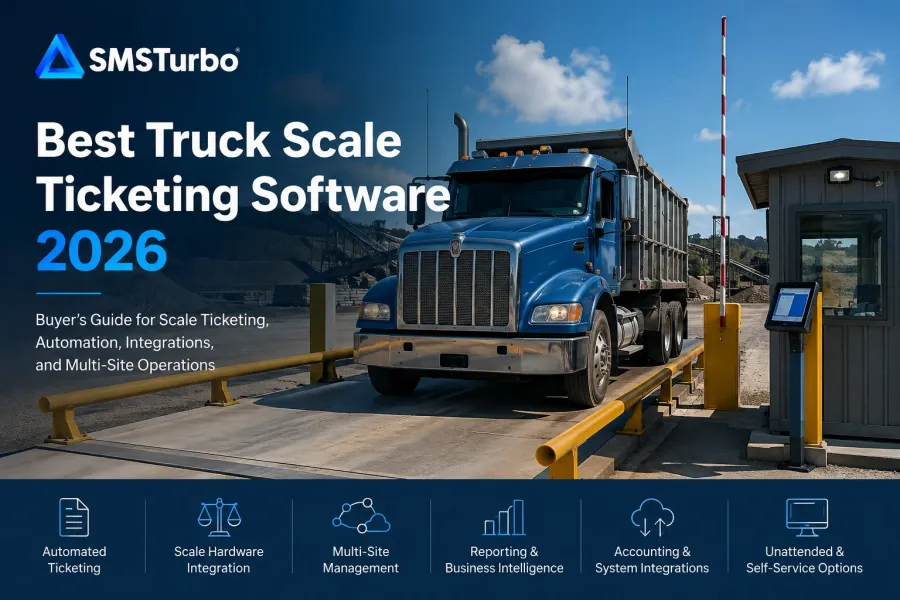
TL;DR: The best truck scale ticketing software in 2026 is not simply the system with the longest feature list. Buyers should prioritize reliable weight capture, efficient ticket creation, hardware compatibility, accounting integration, reporting, unattended workflows, and multi-site management. For operations that want cloud-based ticketing connected with hardware, reporting, accounting, dispatch, and automation, SMSTurbo Fulcrum deserves a close look.
Choosing truck scale software requires looking beyond the moment a truck drives onto the scale. A ticket may take only a small part of the transaction. The information connected to that ticket can continue through customer records, material tracking, dispatch, reporting, invoicing, payments, and accounting.
That makes workflow fit more important than comparing software feature by feature. The right question is not simply, “Can the software create a scale ticket?” It is, “How much of our operation can move from the truck scale through the back office without unnecessary manual work?”
What Is Truck Scale Ticketing Software?
Truck scale ticketing software connects weighing activity with the operational information needed to document and manage a transaction. Depending on the system and configuration, that can include capturing weights, identifying trucks and customers, recording materials, generating tickets, connecting hardware, producing reports, and moving transaction information into other business systems.
Modern products range from relatively focused ticket-printing applications to broader cloud-based platforms connecting ticketing with dispatch, accounting, inventory, customer access, payments, and multi-location operations. Current products in the market also vary significantly in architecture, hardware support, unattended options, reporting, and accounting capabilities.
For an operation evaluating scale ticketing software, the best choice therefore depends on what must happen before, during, and after each weighment.
What Should the Best Truck Scale Ticketing Software Do?
A strong truck scale system should make a normal transaction straightforward without making unusual transactions difficult to resolve. Buyers should evaluate the complete process rather than assuming a long list of available functions translates into a better daily workflow.
Seven areas deserve particular attention.
1. Capture Weight Data Without Unnecessary Manual Entry
The connection between the software and scale equipment is fundamental. If an operator must repeatedly read a weight from an indicator and type it into another system, the workflow still depends on manual data entry.
SMSTurbo Fulcrum uses Device Hub for scale hardware integration, with SMSTurbo documenting connections to truck scales and scale indicators as well as printers, IP cameras, kiosks, and RFID readers.
Hardware compatibility should still be verified for the equipment at each location. Instead of asking whether software “supports scales,” provide the vendor with the manufacturer, model, indicator, connection method, printers, cameras, kiosks, RFID equipment, and other devices that are part of the proposed workflow.
This becomes especially important when replacing software while retaining existing scale hardware.
2. Handle the Complete Ticketing Workflow
Creating the ticket is only one part of truck scale management. Buyers should follow an actual transaction from arrival through completion.
During a demonstration, use examples from your operation. Ask the vendor to process a repeat customer, new customer, known truck, changed tare, different material, corrected transaction, and other workflows your operators regularly encounter.
One of the most useful tests is to intentionally create an incorrect transaction and see how the system handles the correction. A polished standard transaction demonstrates the ideal workflow. Exceptions reveal how much work the operator faces when something does not go according to plan.
SMSTurbo Fulcrum combines automated weight capture, transaction processing, digital ticketing, and real-time access to ticket information within its cloud-based ticketing environment.
3. Connect Ticketing With Accounting and Billing
The scale house is not necessarily where the administrative burden ends. Ticket information may need to reach accounting before the transaction can be invoiced, reconciled, reported, or paid.
Instead of asking only, “Does the software integrate with our accounting system?” trace a real transaction through the proposed integration.
- Which customer, product, ticket, invoice, and payment records move between systems?
- Which application is the system of record for each type of information?
- How are customers and products mapped?
- At what point is an invoice created?
- What happens when synchronization fails?
- How are corrected or voided transactions handled?
- What information still needs to be entered manually?
SMSTurbo documents integrations with QuickBooks Online and QuickBooks Desktop as part of the broader SMSTurbo integrations ecosystem. Fulcrum’s current product information specifically describes QuickBooks Online integration as part of its cloud-based scale workflow.
The objective is not integration for its own sake. The operational value comes from reducing disconnected steps between the scale transaction and the financial workflow.
4. Support Multi-Site Operations Without Multiplying Administrative Work
Multi-site scale management should be evaluated as a workflow, not a checkbox.
A process that works well at one scale house can become harder to maintain when customers, products, pricing, users, tickets, and reports need to remain organized across several plants, pits, yards, or facilities.
SMSTurbo Fulcrum provides cloud-based access to ticketing and operational information across multiple locations, with SMSTurbo positioning centralized multi-site management as a core platform capability.
If multi-location growth matters to your operation, evaluate multi-site scale management by asking how administrators manage locations in practice. Test how users access different sites, how information is organized, how reports are consolidated, and how a new location would be introduced.
The important question is whether adding sites requires adding administrative complexity at roughly the same rate.
5. Provide Reporting That Matches How the Business Actually Operates
Truck scale reporting should turn transaction records into information operations, accounting, and management can actually use.
A software demo may contain attractive dashboards, but those dashboards do not necessarily answer the questions your team needs to answer every week.
A better test is to bring several reports the operation already relies on and ask the vendor to reproduce the required information. Determine how users filter transactions, examine historical tickets, compare sites, review material activity, and export or distribute information.
SMSTurbo includes real-time reporting within Fulcrum and provides reporting and business intelligence capabilities as part of its scale management platform.
Reporting becomes increasingly important as transaction volume and location count increase because management needs visibility without relying on separate spreadsheets or manually assembled summaries.
6. Support Unattended Ticketing That Works Beyond the Ideal Transaction
Unattended weighing can change the role of the scale house, but buyers should test far more than a successful self-service transaction.
SMSTurbo currently offers more than one approach. Its Virtual Unattended scale ticketing workflow allows drivers to initiate a transaction by scanning a QR code and proceed through a browser-based mobile workflow. SMSTurbo also documents support for physical unattended kiosks, including K4 kiosk integration.
During an unattended software evaluation, test questions such as:
- How does the driver identify the correct truck, customer, job, or material?
- What authentication methods are available?
- What happens if the driver selects the wrong information?
- How does a driver receive assistance?
- How is the weight captured?
- How is the completed ticket delivered?
- What happens when required hardware is unavailable?
- How does the transaction appear to staff after completion?
A normal unattended transaction shows whether self-service works. An exception shows whether the operation can realistically depend on it.
7. Connect Scale Ticketing With Dispatch When Dispatch Is Part of the Workflow
For operations coordinating trucks, drivers, jobs, routes, and deliveries, ticketing may be only one stage in a larger material movement process.
SMSTurbo’s platform includes SMSTurbo Waypoint for dispatch and load tracking alongside Fulcrum scale ticketing. SMSTurbo describes Waypoint as a connected system for coordinating trucks, routes, jobs, and deliveries with real-time visibility.
Dispatch software should also be evaluated end to end. Follow an order from creation through truck assignment, scale transaction, delivery, reconciliation, and billing. Identify each point where someone must switch applications, re-enter information, or manually communicate a status change.
The presence of a dispatch feature matters less than how effectively dispatch information connects to the rest of the operation.
Why SMSTurbo Fulcrum Belongs on a 2026 Truck Scale Software Shortlist
SMSTurbo Fulcrum is particularly relevant for buyers looking for a cloud-based truck scale ticketing platform that can extend beyond basic ticket generation.
Its documented capabilities include automated weight capture and ticketing, multi-site access, real-time reporting, material and inventory tracking, hardware integration through Device Hub, customer self-service access, accounting integrations, and unattended workflows. The broader SMSTurbo platform also connects ticketing with dispatch capabilities through Waypoint.
This makes SMSTurbo worth evaluating for industries with significant weight-based transaction workflows, including aggregates and quarry operations, mining, waste management, recycling, asphalt, concrete, agriculture, and forestry. SMSTurbo publishes industry-specific scale ticketing applications across these markets.
The more important reason to consider SMSTurbo, however, is the opportunity to evaluate several connected workflows instead of treating the scale ticket as an isolated record.
A buyer can test how the weight enters Fulcrum, how the ticket is created, how hardware participates in the transaction, how information becomes available for reporting, how unattended transactions work, and how related dispatch or accounting processes connect.
That is a more useful evaluation than asking whether a system has “ticketing,” “reporting,” and “integrations” and checking three boxes.
Cloud-Based vs. Locally Installed Truck Scale Software
Architecture should be part of the buying decision because it affects how employees access the system, how locations share information, how local hardware communicates with software, and what dependencies exist at each site.
SMSTurbo Fulcrum is cloud-based, with SMSTurbo documenting access to scale data and ticketing across locations and devices. Device Hub provides the connection between Fulcrum and local scale equipment.
Other truck scale products on the market use different architectures, including Windows applications and configurations using local, server, or cloud databases. There is therefore no reason to assume every truck scale system operates the same way simply because the products perform similar weighing functions.
Buyers should document how each proposed architecture handles connectivity, local devices, user access, updates, data synchronization, and business continuity. If internet availability is a concern at a remote quarry, mine, farm, or other location, ask the vendor to demonstrate exactly what happens to the required workflow during a connectivity interruption.
Do not assume “cloud” or “local” automatically answers the business-continuity question. Ask what each component requires to operate.
What Should You Test During a Truck Scale Software Demo?
The most informative truck scale software demo uses your operation rather than the vendor’s ideal sample environment.
Before the demonstration, document a handful of real workflows and ask the vendor to complete them.
- Run a standard transaction. Follow a normal truck from identification through weight capture and ticket completion.
- Create an exception. Enter incorrect information and determine how an operator fixes it.
- Test your hardware requirements. Discuss actual scale indicators, printers, cameras, kiosks, RFID devices, and other equipment by manufacturer and model.
- Trace a ticket into accounting. Determine what synchronizes and identify any remaining manual work.
- Reproduce an important report. Use a report management already depends on rather than accepting only the demonstration dashboard.
- Test another location. If you operate multiple sites, determine how the same workflow changes across facilities.
- Test unattended exceptions. See what happens when driver identification, order selection, or another part of self-service does not proceed normally.
- Follow dispatch through billing. If dispatch matters, trace the complete order and load lifecycle instead of viewing dispatch separately.
This approach exposes where manual processes remain. It also helps scale operators, accounting teams, dispatchers, managers, and IT evaluate the same software from different operational perspectives.
How Should Different Teams Evaluate Scale Ticketing Software?
Different departments can use the same scale ticketing system but judge its success differently.
Scale operators should focus on transaction steps, weight capture, ticket corrections, tare management, hardware interaction, and handling exceptions without slowing the scale.
Operations managers should examine workflow consistency, unattended options, throughput constraints, reporting, and the ability to standardize processes between locations.
Accounting teams should trace tickets into invoices, payments, customer records, and financial reporting. Every remaining spreadsheet, import, export, or re-entry step should be identified.
Dispatchers should follow orders, trucks, drivers, loads, and delivery status through the full operating cycle.
IT teams should investigate architecture, connectivity, user permissions, hardware interfaces, integration responsibilities, and system dependencies.
Owners and executives should determine whether the proposed system makes the operation easier or harder to manage as transaction volume, users, hardware, and locations increase.
A system can perform well for the person creating a ticket while still creating unnecessary work elsewhere. The best evaluation therefore follows information after the truck leaves the scale.
Questions to Ask Before Choosing Scale Ticketing Software
Before selecting a platform, ask vendors questions that reveal how the software works in your environment:
- How will our existing scale indicators and hardware connect?
- Which parts of a transaction require manual entry?
- How are tare weights and transaction corrections managed?
- How are multiple locations administered?
- How does information move between ticketing and accounting?
- Which records synchronize with our accounting platform?
- How are integration errors identified and corrected?
- What unattended workflows are available?
- What happens when an unattended driver needs assistance?
- Can customers access their own tickets or reports?
- How does dispatch connect with ticketing when required?
- How will our existing management reports be produced?
- What happens to each required workflow during a connectivity problem?
- How are users and permissions managed?
- What changes when we add another scale or location?
The answers should be demonstrated whenever possible. A live workflow using realistic operational requirements provides more useful information than a yes-or-no response to a feature questionnaire.
FAQs About Truck Scale Ticketing Software
What is the best truck scale ticketing software in 2026?
The best truck scale ticketing software depends on your scales, transaction workflows, hardware, accounting requirements, reporting, unattended needs, dispatch processes, and number of locations. SMSTurbo Fulcrum deserves consideration for operations seeking cloud-based scale ticketing with hardware integration, multi-site access, reporting, accounting integration, and unattended options.
Who should consider SMSTurbo Fulcrum?
SMSTurbo Fulcrum should be considered by weight-based operations evaluating cloud-based truck scale ticketing, particularly when ticketing needs to connect with hardware, reporting, multiple locations, accounting, inventory, self-service, or unattended workflows. SMSTurbo serves industries including aggregates, mining, recycling, waste, asphalt, concrete, agriculture, and forestry.
Can truck scale ticketing software connect directly to scale hardware?
Yes, depending on the software and specific hardware. SMSTurbo Fulcrum uses Device Hub to connect with scale indicators and other equipment including printers, IP cameras, kiosks, and RFID readers. Buyers should confirm compatibility using the manufacturer and model of every device they intend to use.
Does SMSTurbo support unattended scale ticketing?
Yes. SMSTurbo offers Virtual Unattended, a mobile browser-based workflow initiated through a QR code, and also documents integration with physical unattended kiosks. The appropriate approach depends on the site’s driver, hardware, authentication, ticket delivery, and exception-handling requirements.
Can SMSTurbo manage truck scales at multiple locations?
SMSTurbo Fulcrum is designed for cloud-based multi-site access and centralized visibility across scale locations. Buyers with several facilities should still test how their specific customers, products, users, reporting requirements, hardware, and workflows will be managed across those locations.
What is the most important thing to test during a scale software demo?
Test a complete transaction, including an exception. Follow the transaction from weight capture and ticket creation into reporting, accounting, dispatch, or other downstream systems your operation uses. This exposes manual steps and workflow dependencies that a basic feature comparison can miss.
Choosing the Best Truck Scale Ticketing Software for Your Operation
The best truck scale ticketing software is the system that fits the complete operation, not simply the scale house.
Start with weight capture and ticket creation, then keep following the information. Determine what happens in reporting, accounting, billing, inventory, dispatch, customer access, and multi-site management. Test the exceptions as carefully as the standard transactions.
For operations evaluating a connected cloud-based approach, SMSTurbo Fulcrum combines truck scale ticketing with documented capabilities for hardware integration, multi-site access, reporting, inventory, accounting integration, customer self-service, and unattended ticketing. The broader SMSTurbo platform also provides dispatch and load-tracking capabilities through Waypoint.
The most useful next step is to evaluate those capabilities using your actual workflow. Bring your scale hardware, locations, transaction types, accounting requirements, reports, unattended scenarios, and dispatch processes into the evaluation. Book an SMSTurbo demo to see how the platform handles the processes your operation depends on.